Which vehicles are in recon
Every vehicle appears on one board, in its current stage, so you never have to ask “where is the car?”
Track every used vehicle from arrival to frontline on one real-time, color-coded recon dashboard. ReconDeck gives managers, technicians and the shop floor a clear view of what is moving, what is waiting and what needs attention.
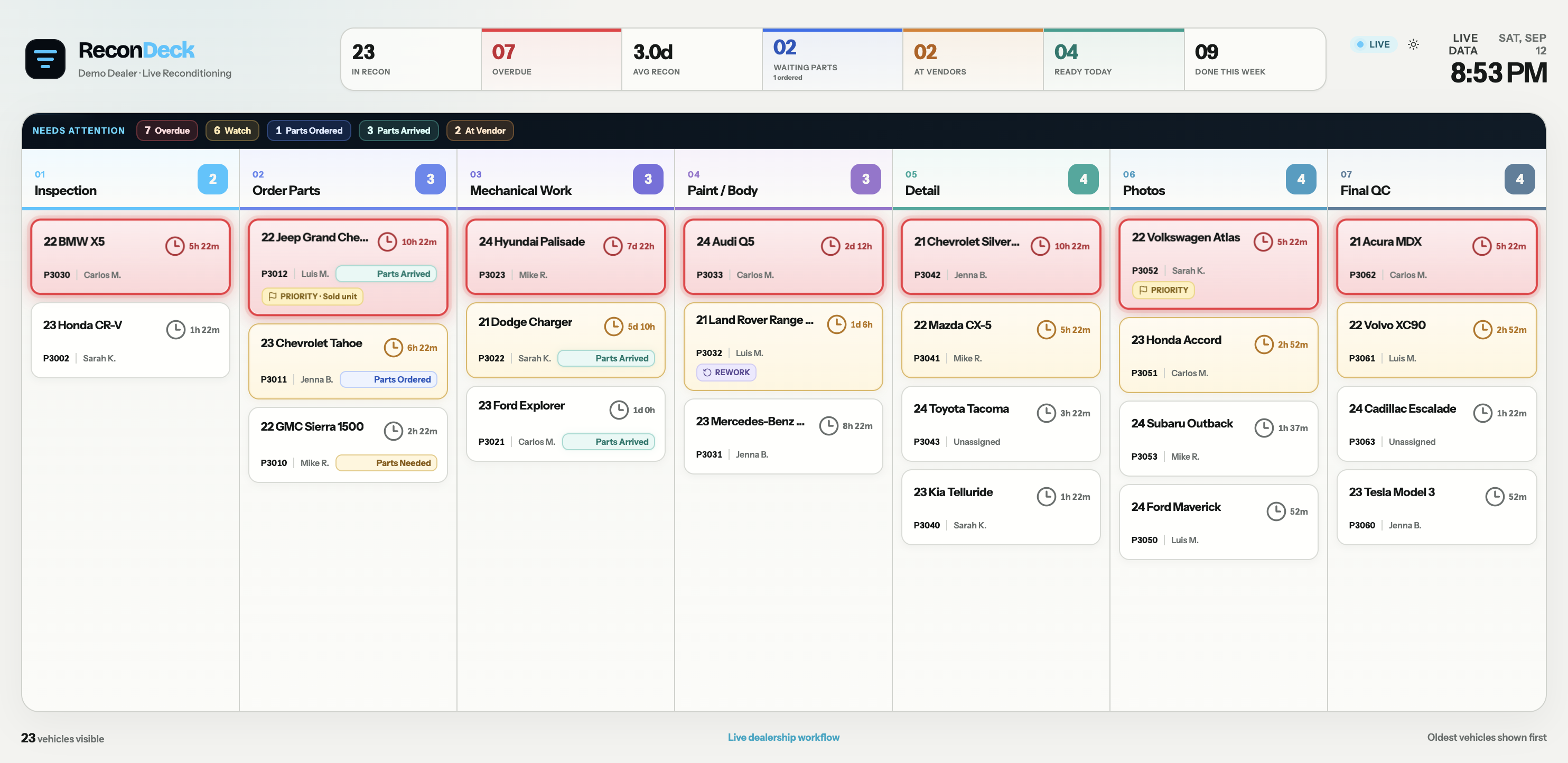
One simple command board for every vehicle, every stage, every delay, and every recon dollar — so cars keep moving toward the frontline.
Recon slows down when information lives in conversations, sticky notes, spreadsheets and people’s heads. ReconDeck gives the entire department one source of truth.
Every vehicle appears on one board, in its current stage, so you never have to ask “where is the car?”
Parts on order, vendor work, aging and overdue steps are visible the moment they happen — not at the next sales meeting.
Each step has an owner. Assignments and handoffs make responsibility clear so vehicles keep moving toward frontline.
Parts, labor, sublets and returns roll into one per-vehicle recon cost total, so you know exactly what is invested.
Put ReconDeck on a shop TV and everyone sees the same thing: what’s here, where it is, who has it, and what needs attention.
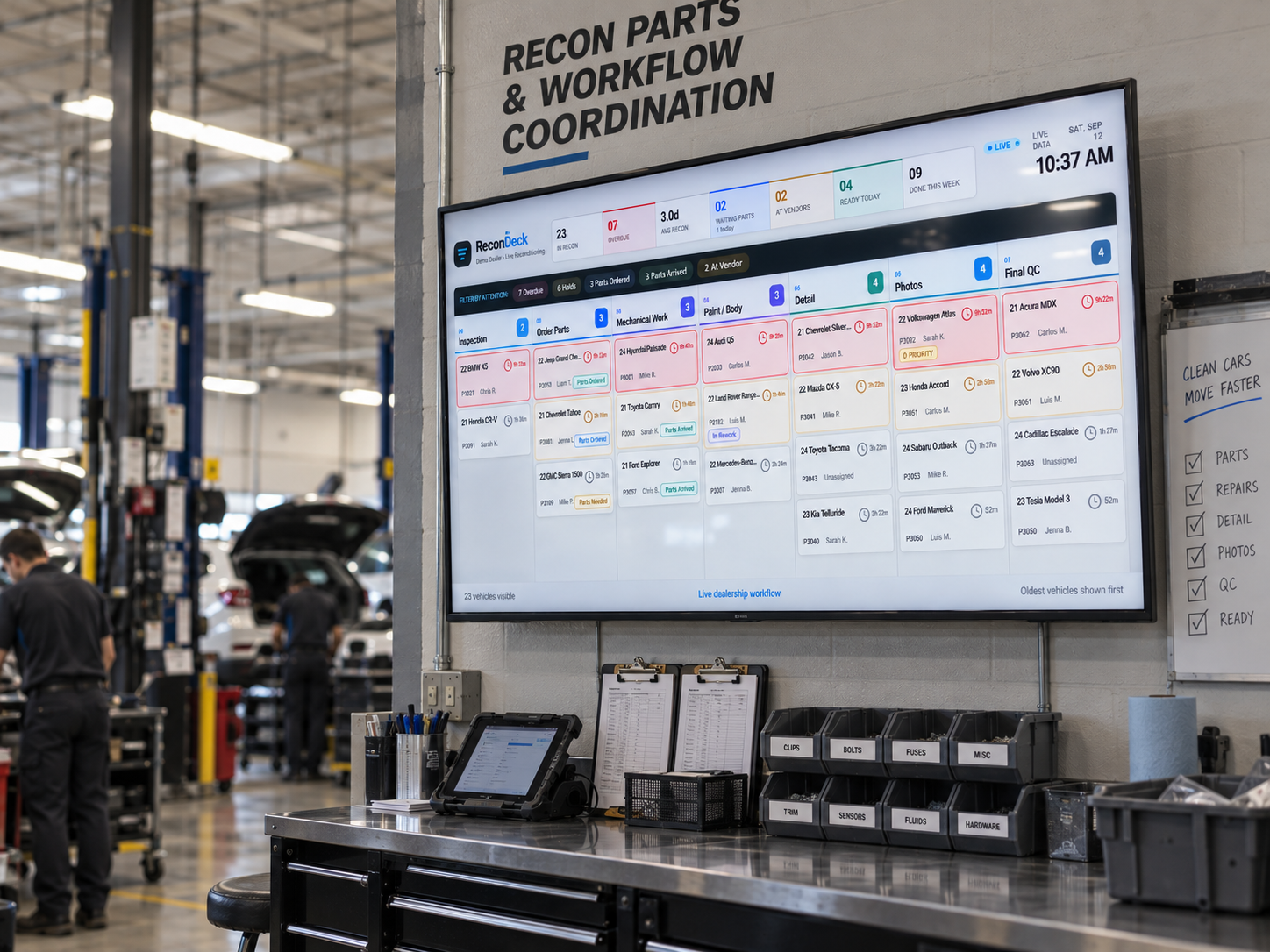
Hang a TV in your bay or manager office so everyone is synced in real-time.
Scan the VIN with a phone or enter it manually to pull vehicle details instantly.
Move through Inspection to Final QC with one consistent, repeatable process.
TV board, manager dashboard, and tech views all stay live in real time.
Keep the complete recon record, customer report, and cost history with the vehicle.
Techs don’t need another heavy dealership system. ReconDeck keeps the mobile workflow focused: open the vehicle, inspect it, document what matters, and move it forward — and the TV command board updates instantly.
Add or find the vehicle from a phone camera or barcode scanner in seconds.
Pass sections quickly, flag required work, add notes and upload photos directly from the bay.
Update the stage and the entire department and TV command board updates immediately.
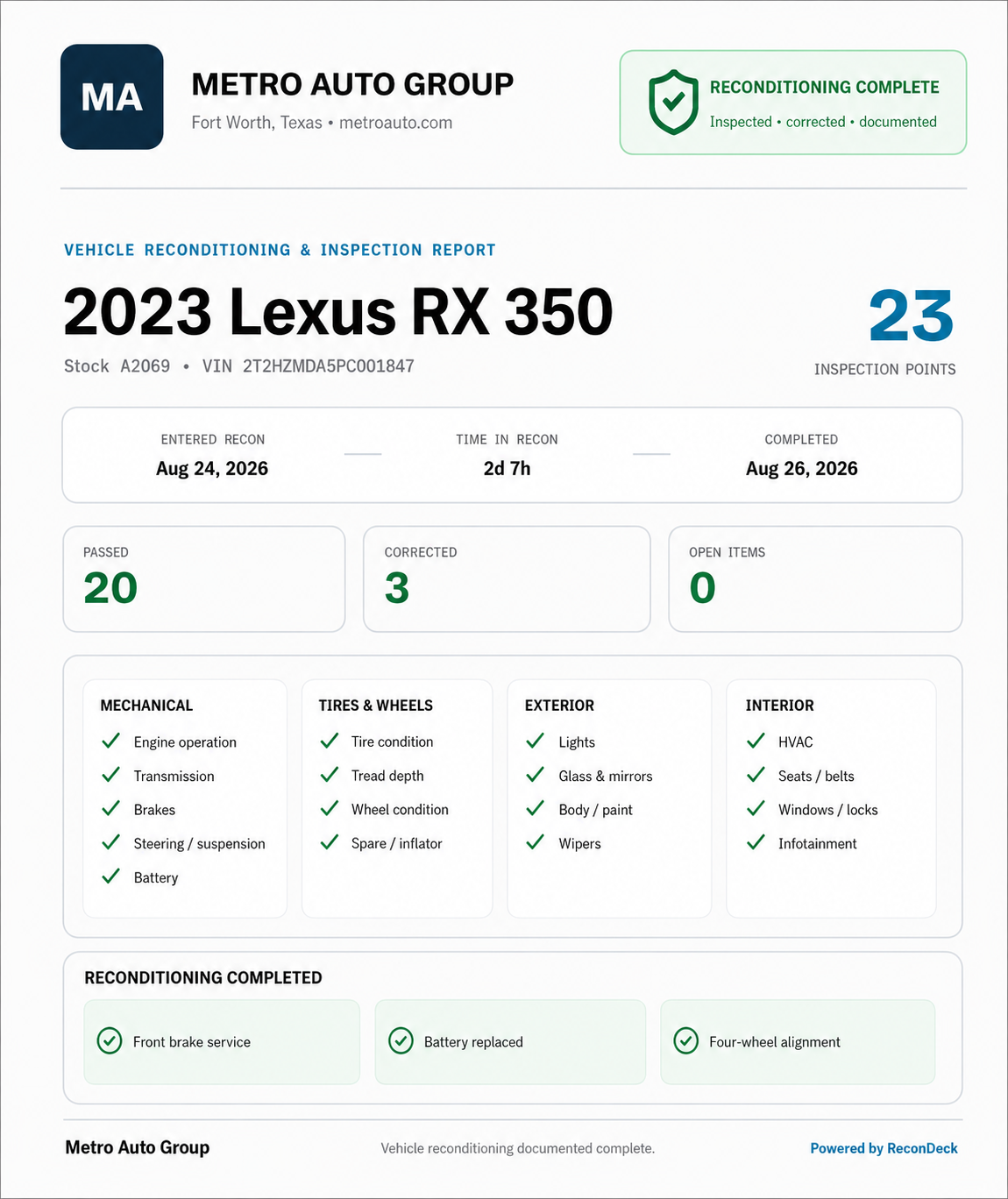
A polished, dealership-branded one-page report shows what was inspected, what was corrected, and when recon was completed — without exposing internal costs or shop noise.
ReconDeck connects the daily shop workflow to the questions managers actually ask: bottleneck stages, turnaround speed, and true total investment per vehicle.
See which recon stages take the longest and where vehicles are aging before they reach frontline.
Track the total time from arrival to frontline-ready so you can spot delays and set a benchmark.
Parts, labor, sublets and returns roll into one per-vehicle total, so you know what is invested.
ReconDeck was shaped by more than 15 years of automotive parts and dealership experience, including hands-on parts ordering, inventory coordination and support of dealership reconditioning operations.
Dealership reconditioning software tracks each used vehicle through the reconditioning steps — inspection, parts, repairs, detail, photos and final QC — so the whole team can see status, assignments, timing and costs in one place. ReconDeck is built specifically for that workflow.
Recon is short for reconditioning — the work that gets a used trade-in or auction vehicle frontline-ready for sale, including mechanical repairs, body and paint, detail, parts, photos and final quality checks.
Each vehicle is added by VIN scan or manual entry and moved through configured stages. Technicians update the status from a phone, and a shared TV board updates in real time with timers, aging alerts and cost totals.
Time-to-line is the total time from when a vehicle enters recon until it is frontline-ready for sale. Tracking it starts with measuring how long each recon stage actually takes.
Yes. The ReconDeck command board is designed to run on a shop TV so managers, technicians and the sales floor all see the same live status at once.
Yes. ReconDeck includes a mobile technician view for scanning VINs, inspecting, adding photos and notes, and moving vehicles to the next stage directly from the bay.
Yes. Stages are configurable, so a dealership can match its actual process — for example inspection, parts, mechanical, paint and body, detail, photos and final QC — instead of being forced into one fixed list.
Yes. Parts, labor, sublets and returns roll into a per-vehicle recon cost total, so managers can see exactly what is invested in each vehicle.
Yes. Vehicles can be added by scanning the VIN with a phone camera or barcode scanner, or entered manually.
Yes. ReconDeck works for independent and franchise dealerships alike, priced per physical dealership with no per-user penalty.
No. ReconDeck focuses on the reconditioning workflow — tracking vehicles, stages, assignments, costs and customer reports — and is not a replacement for your dealership management system.
The pieces of your recon workflow, explained one page at a time.
Turn a dealership TV into a live recon status board. See every vehicle, stage, technician, time in stage and overdue alert with ReconDeck.
Read moreTrack used vehicles, recon stages, technicians, parts, photos, costs and delays in real time with ReconDeck recon tracking software.
Read moreBuild a repeatable dealership recon workflow with custom stages, assignments, timers and real-time handoffs from inspection through final QC.
Read moreGive your independent dealership a simple recon workflow, live vehicle status board, technician assignments and cost tracking without relying on spreadsheets.
Read moreCompare real-time dealership recon software with spreadsheets, whiteboards and group texts for tracking vehicles, delays, assignments and recon costs.
Read moreLearn what time-to-line means, which recon stages create delays and how dealerships can track the time required to make used vehicles frontline-ready.
Read moreSee the stages of a used-car dealership reconditioning process, from transportation and inspection through parts, repairs, detail, photos and final QC.
Read moreTrack the complete dealership make-ready process with live vehicle stages, assignments, timers, parts status and a color-coded TV dashboard.
Read moreNo per-user penalty. Bring the people who need to touch recon into the system.
The essentials for a dealership that wants a clean recon command board.
Full recon operations for dealerships that want parts, vendors, and deeper workflow.
Dealer-facing presentation and customer confidence on top of full recon operations.
Walk through the TV board, technician workflow, inspection, costs, and customer report in a short dealership-focused demo.